

A digital readout (DRO) is handy when you need to position holes, cut slots, or move between several coordinates. It shows the measured position on the display, so you spend less time counting handwheel turns. A turret mill without a DRO can still make accurate parts, but you have to track the dial readings and movements yourself.
Quick answer: A DRO is worth considering if you often work from coordinates or repeat the same setup. For simple jobs with only a few moves, handwheel dials may do the job. Neither option guarantees accurate parts; the machine, tooling, workholding, and inspection all matter.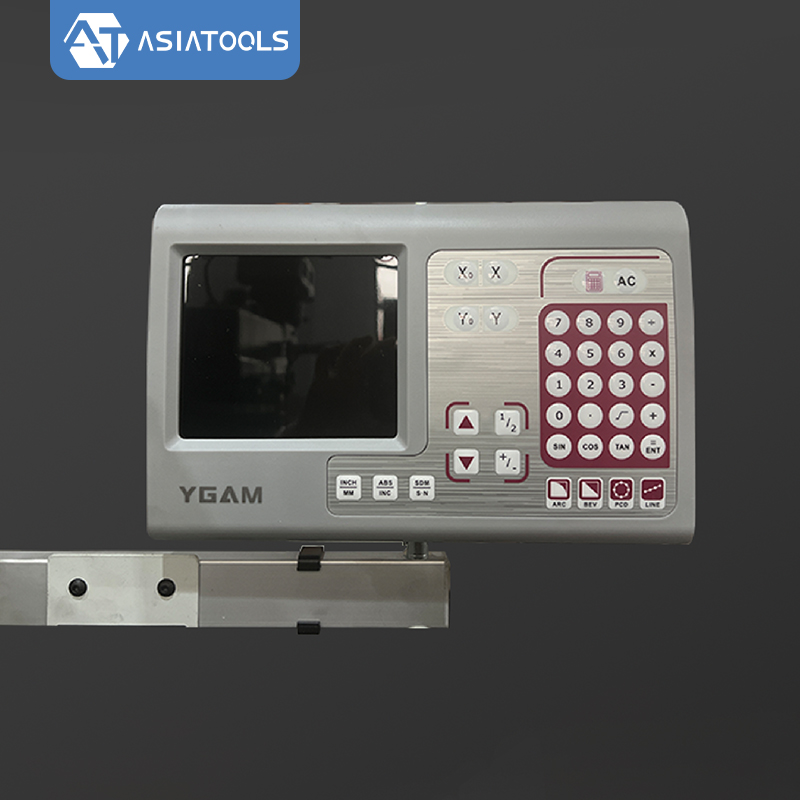
1. Quick Comparison
| Factor | With DRO | Without DRO |
|---|---|---|
| Position reference | Position shown from installed scales or encoders | Handwheel graduations and recorded movements |
| Coordinate work | Move to the X/Y coordinates on the drawing | Work out the travel from handwheel turns and graduations |
| Direction changes | A linear scale shows movement where it is installed | Operator must allow for backlash |
| Repeated positions | Return to a saved coordinate or zero point | Use notes and dial readings to find the position again |
| Setup effort | Less calculation on jobs with many coordinates | More manual calculation and position tracking |
| Initial cost | Higher if the DRO is an option or a retrofit | Usually lower for a comparable machine setup |
| Maintenance | Normal machine care, plus checks of scales, brackets, cables, and display | Normal machine care, plus checks of handwheels and graduated dials |
| Best fit | Frequent coordinate work and repeated layouts | Simple jobs with few position changes |
2. What a DRO Measures
A DRO takes position readings from scales or encoders and shows them on a screen. Depending on the model, it may let you set workpiece zero, switch between absolute and incremental coordinates, change units, find centers, or calculate bolt-circle positions. Check the feature list before ordering; not every display includes all of these functions.
A DRO does not turn a turret mill into a CNC machine. The operator still sets the datum, chooses the tool, moves the axes, controls the cut, and checks the part. Some machines also offer power feeds, depending on the configuration.
Linear scales and rotary encoders work differently. A linear scale measures movement at the point where it is fitted. A rotary encoder reads rotation and uses the drive mechanism to estimate linear travel, so leadscrew backlash can affect the displayed position. Ask which type is included.
3. Accuracy: Resolution Is Not Part Accuracy
| Term | Meaning | What to check |
|---|---|---|
| Display resolution | The smallest position step shown on the display | More decimal places do not prove the reading is more accurate |
| Scale specification | The manufacturer's stated measurement performance over the scale travel | Compare it with the travel and tolerance your job requires |
| Repeatability | How closely repeated measurements agree under the same stated conditions | Check whether the system can return to a position consistently |
| Finished-part accuracy | How closely the machined feature matches the drawing | Inspect the part with suitable measuring equipment |
ISO 230-1 sets out tests for machine-tool geometric accuracy under no-load or quasi-static conditions. NIST explains how repeatability differs from other measurement terms and notes that accuracy is a qualitative concept, not something you can judge from display resolution alone.[1][2] These references do not tell you how accurate a particular milling machine is; that requires machine-specific test results.
A finer display step will not fix spindle runout, loose gibs, worn ways, tool deflection, a moving workpiece, or temperature changes. Check the scale specifications and the machine's condition against the tolerance on your drawing.
Backlash: When you reverse a handwheel, clearance between the leadscrew and nut may let the dial move before the table starts moving. A properly fitted linear scale shows movement at its measuring point, so you do not have to assume every turn of the handwheel moved the table. If the machine has too much play, the mechanical parts still need attention.
4. Setup: Compare the Actual Work
For example, say a part has four hole centers at the coordinates below, all measured from the same datum:
| Hole | X coordinate | Y coordinate |
|---|---|---|
| 1 | 20 mm | 15 mm |
| 2 | 60 mm | 15 mm |
| 3 | 20 mm | 45 mm |
| 4 | 60 mm | 45 mm |
With a DRO, you set the datum and move to each X/Y position on the drawing. Without one, you calculate each move from the handwheel graduations and keep track of where the table is. Both methods can reach the required positions. The DRO mainly makes the readings easier to follow and cuts down on manual calculations.
The display does not automatically find the correct workpiece datum or check the finished dimensions. Tool compensation depends on the functions built into that model, and you still need to inspect critical hole spacing.
If you want to know whether a DRO will save time, time a few typical jobs in your own shop. You may see little difference on a simple facing job. A layout with several coordinates may take less setup work. There is no reliable time-saving percentage that applies to every shop.
5. Cost: Compare the Installed System
Compare the full installed price, including scales, brackets, fitting, commissioning, and initial training. Check warranty terms, spare-part availability, maintenance, and downtime separately. Costs depend on the machine and the supplier's quote.
| Cost or benefit | How to check it |
|---|---|
| Purchase premium or retrofit | Compare the installed cost of machines with equivalent configurations |
| Setup time | Time similar coordinate-based jobs before and after installation |
| Labor-capacity value | Convert the time saved into hours and multiply by the relevant hourly labor cost |
| Scrap and rework | Count only documented costs caused by positioning errors |
| Ongoing costs | Include extra maintenance, repairs, and downtime |
Annual labor-capacity value:
(Setups per year × minutes saved per setup ÷ 60) × labor cost per hour
This gives an estimate of the value of time freed up, not guaranteed cash savings. The time only has financial value if it reduces paid hours or can be put to productive use.
Simple payback period (years):
Additional upfront cost ÷ annual net cash benefit
Include installation and other one-time costs in the upfront amount. For annual net cash benefit, count labor savings and proven reductions in scrap or rework, then subtract extra annual maintenance and downtime costs. The payback period only makes sense when the annual net benefit is positive.
6. Choose the Right DRO Configuration
Two-axis or three-axis: A two-axis DRO usually measures X and Y movement. A third scale measures another movement, often along the vertical axis. Depending on where it is fitted, it may read quill travel, knee movement, or another component. These measurements are not interchangeable for every job.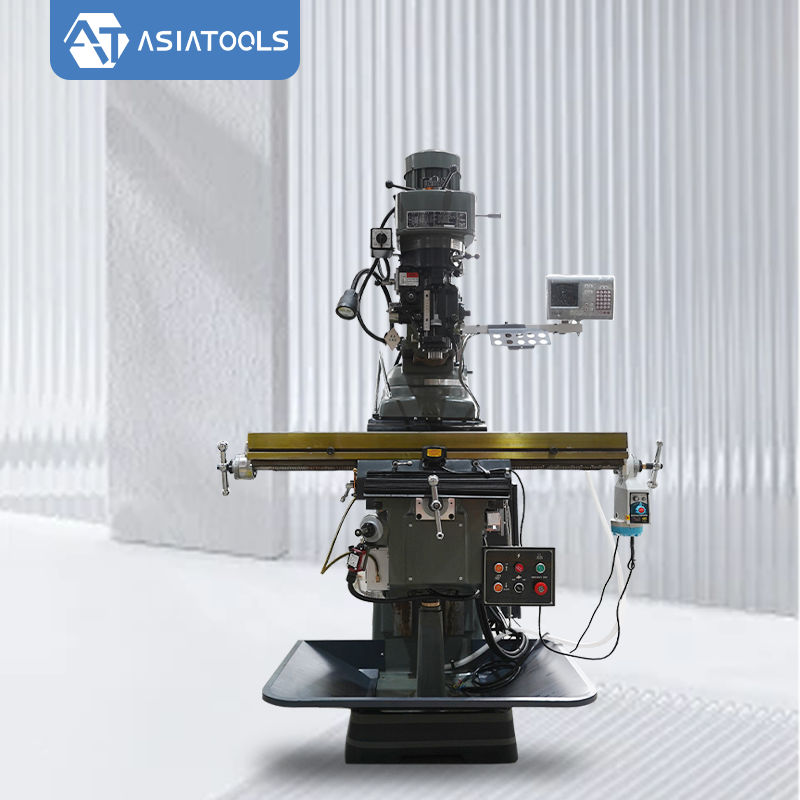
The ASIATOOLS F4 product listing specifies a 2-axis DRO as standard, with a Z-axis grating scale available as an option. The ASIATOOLS turret milling machine page lists the main machine specifications. Check the quotation to see exactly which scales and axes are included.
Before ordering, check:
- Which part of the machine each scale measures and the travel available on each axis.
- The scale resolution and stated accuracy or measurement specifications.
- Whether the display has the coordinate, unit, and calculation functions you need.
- Whether the scales and brackets fit without blocking machine travel, guards, or normal operation.
- How the scales and cables are protected from chips, coolant, dust, and impact.
- What installation, verification, warranty, training, and replacement support are included.
Confirm DRO axis configuration
Send the machine model and tell us whether you need X/Y positioning only or an additional measured vertical axis.
If your job needs programmed tool paths or repeated automated cycles, compare a CNC vertical milling machine. Check that its working range, functions, and total cost fit the job.
7. Check the DRO Before Production
- Move each measured axis and make sure the display direction and units are correct.
- Compare the displayed movement with a suitable reference measurement over the travel used for the job.
- Return to a target position using the same approach and compare the readings with the system's stated performance.
- Check the workpiece datum and coordinate mode, then inspect the first part against the drawing.
If the display and reference measurement disagree, check scale alignment, mounting rigidity, cables, and machine condition before starting production.
Discuss a machine setup for your parts
Send the part drawing, machining operations, batch quantity, and required tolerances so the machine configuration can be assessed against your actual work.